
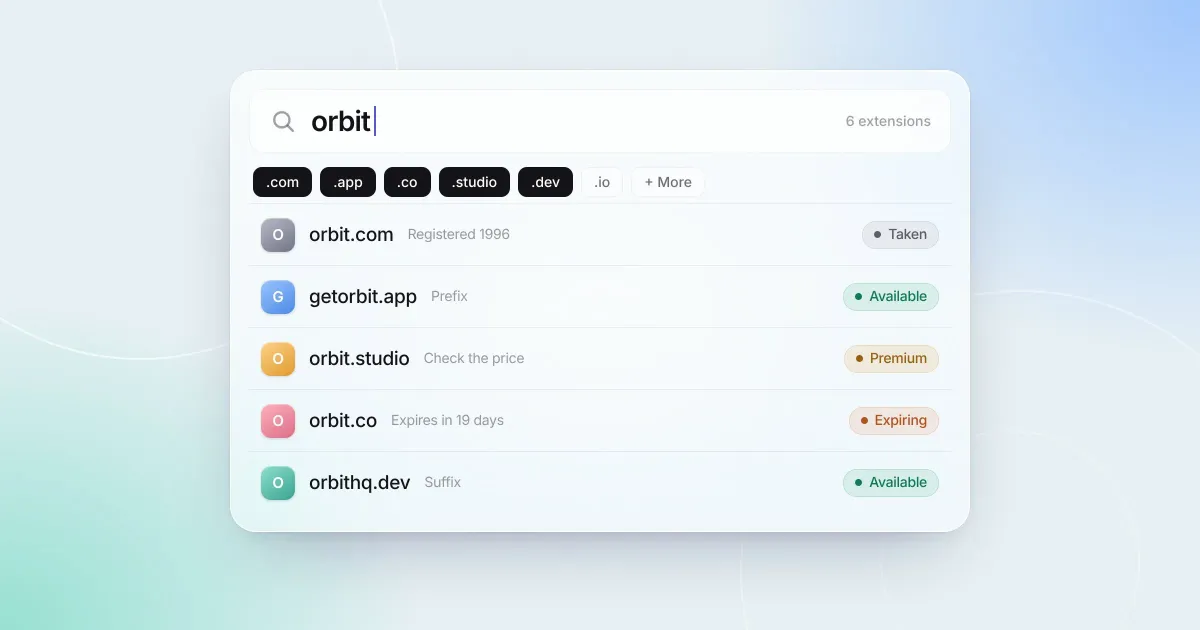
Checking whether a domain is available seems like the simplest question in the whole process. Type a name, get a yes or no. But “available” hides a few different answers, and the difference between them is the difference between registering a name for $12 and finding out at checkout that it costs $4,000.
This guide walks through where availability answers come from, the cases where they mislead, and a quick routine for checking a name properly.
Who actually knows if a domain is taken
Every top-level domain is run by a registry. Verisign runs .com and .net, Google Registry runs .app and .dev, and so on. The registry keeps the authoritative list of every registered name in its extension.
You don’t usually buy from the registry directly. You buy from a registrar, like Cloudflare, Porkbun, Namecheap, or GoDaddy, which is accredited to register names with the registry on your behalf. When you search on a registrar’s site, it asks the registry whether the name is free and adds its own pricing.
So the real question “is this name registered?” is ultimately answered by the registry, and there are three common ways to ask it.
RDAP
RDAP (Registration Data Access Protocol) is the modern way to look up who has registered a domain. It’s a simple web API that returns structured data: whether the name is registered, its creation and expiry dates, its status codes, its registrar, and its nameservers. ICANN made RDAP the official source of registration data for generic domains in 2025, replacing WHOIS for that purpose.
A useful detail: IANA publishes a directory that tells you which RDAP server is responsible for each extension, so a lookup can go straight to the right registry. If the registry says it has no record of the name, it isn’t registered.
WHOIS
WHOIS is the older protocol RDAP replaced. It still works for many extensions, especially country codes that haven’t adopted RDAP, but its responses are free-form text that differs from registry to registry. It’s a good fallback and a poor primary source.
DNS
Some quick tools just check whether a name has DNS records. That’s a weak signal. Plenty of registered domains have no DNS at all, and a name with no nameservers isn’t necessarily free. DNS is only useful as a last resort, when nothing better answers.
When “available” doesn’t mean you can buy it
An unregistered name is not always an affordable one, or even a purchasable one. These are the cases that catch people out.
Premium names
Many registries, especially for newer extensions, keep a list of names they consider valuable: short words, common terms, and recognizable brands. These are unregistered, but they’re sold at a premium price set by the registry, sometimes hundreds or thousands of dollars a year, and sometimes with a premium renewal price too.
Here’s the important part: premium pricing generally isn’t visible in registration data. A registry’s RDAP server will tell you a premium name isn’t registered, which is true. Only a registrar’s price check reveals that it costs more. Always check the price at a registrar before you get attached, and check the renewal price as well as the first year.
Reserved and blocked names
Registries reserve some names outright: country and place names in some extensions, names tied to the registry’s own operations, and others held back by policy. Some trademark holders also pay to block their brand across many extensions. These names can look unregistered and still can’t be bought.
Names in their expiry stages
A name in redemption or pending delete is still registered, so a good availability check will report it as taken. Some quick tools only look at whether a site loads, and will tell you an expired name is “available” when it’s weeks away from being released, and may never be. (We wrote a whole guide on how domain expiration works.)
Aftermarket listings
A name that’s registered might still be for sale. If a domain shows a “this domain is for sale” page, or is listed on a marketplace like Afternic or Sedo, the owner is open to offers. That’s a negotiation, not a registration, but it’s worth knowing a taken name isn’t always a dead end.
Checking many extensions at once
When a name is taken in .com, the next question is usually which other extensions are open. A few things are worth knowing as you compare:
- Some extensions require HTTPS.
.app,.dev, and a handful of others are on browsers’ HSTS preload list, so a site on them only loads over HTTPS. Easy to set up with modern hosts, but good to know before you choose. - Some extensions have rules. Many country codes require local presence, and some extensions have eligibility requirements or restrictions on who can register.
- Renewal prices vary widely. Two extensions with the same first-year price can renew at very different rates. Look at what you’ll pay in year two.
- Variations are worth a look. Prefixes and suffixes like
get,try,hq, orappcan turn a taken name into an available one that still reads well.
A five minute routine for checking a name
Before you fall for a name, run through this:
- Check registration across the extensions you’d accept. Use a tool that queries registry data, not just DNS.
- For the taken ones, look at the status and expiry date. A name that’s about to lapse is a different story from one that’s renewed through 2031.
- Price the available ones at a registrar. Confirm it isn’t premium, and check the renewal price.
- Search for existing brands and trademarks. A quick web search plus a search of your country’s trademark database will catch most conflicts.
- Save what you found. Write down which extensions were open and what they cost. You’ll want that when you come back to compare options.
How DomainIdea checks availability
DomainIdea checks a name across as many extensions as you pick in one search. Each lookup goes to the registry that’s responsible for the extension, using RDAP through IANA’s directory, with WHOIS as a fallback for registries that don’t support RDAP and DNS only as a last resort. Each result shows whether the name is available or taken, with registration and expiry dates for taken names and the lifecycle stage for any that have expired, and you can save any result to your ideas or watchlist.
When DomainIdea says a name is available, it means the registry has no registration for it. Because premium and reserved pricing isn’t part of registration data, it’s still worth confirming the price with your registrar before you buy. Lookups run from your Mac directly, not through a DomainIdea server.